Subscribe in the app
Subscribe through the app store with the same account.
2 min · 3 steps
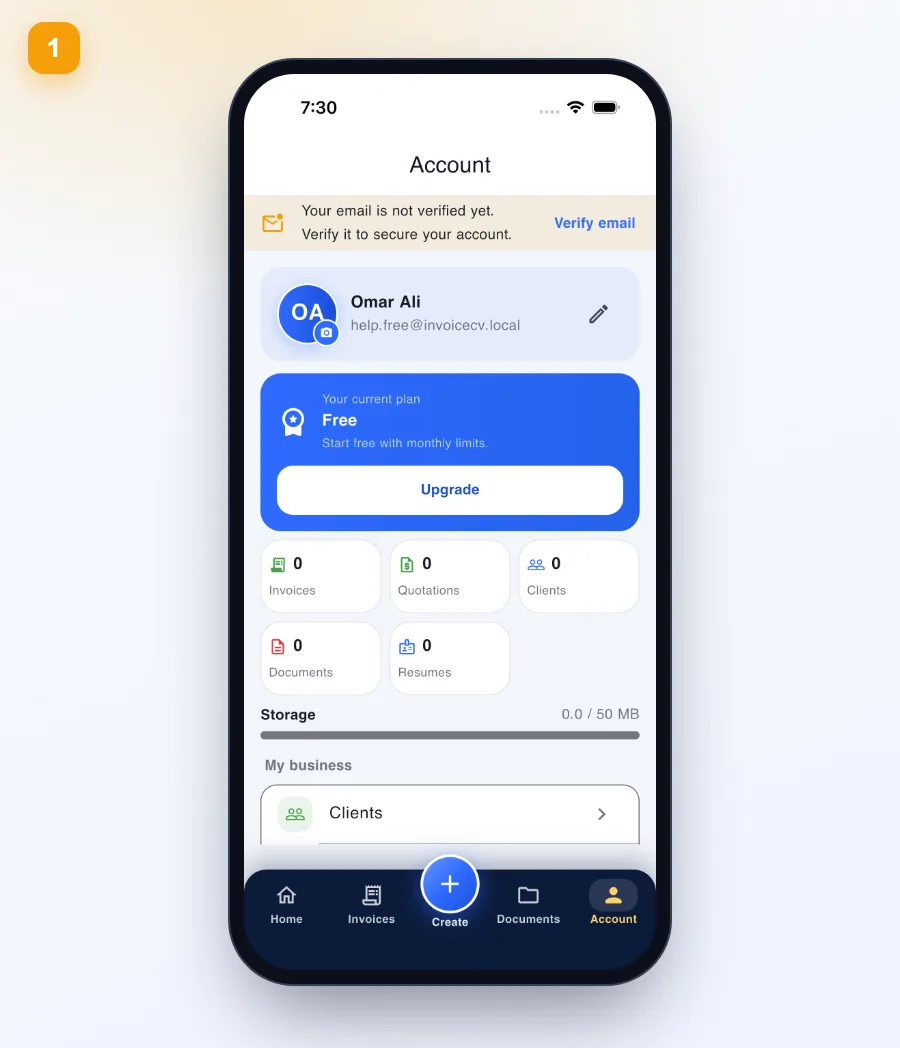
- 1
Open Account
From the “Account” tab tap “Upgrade”.
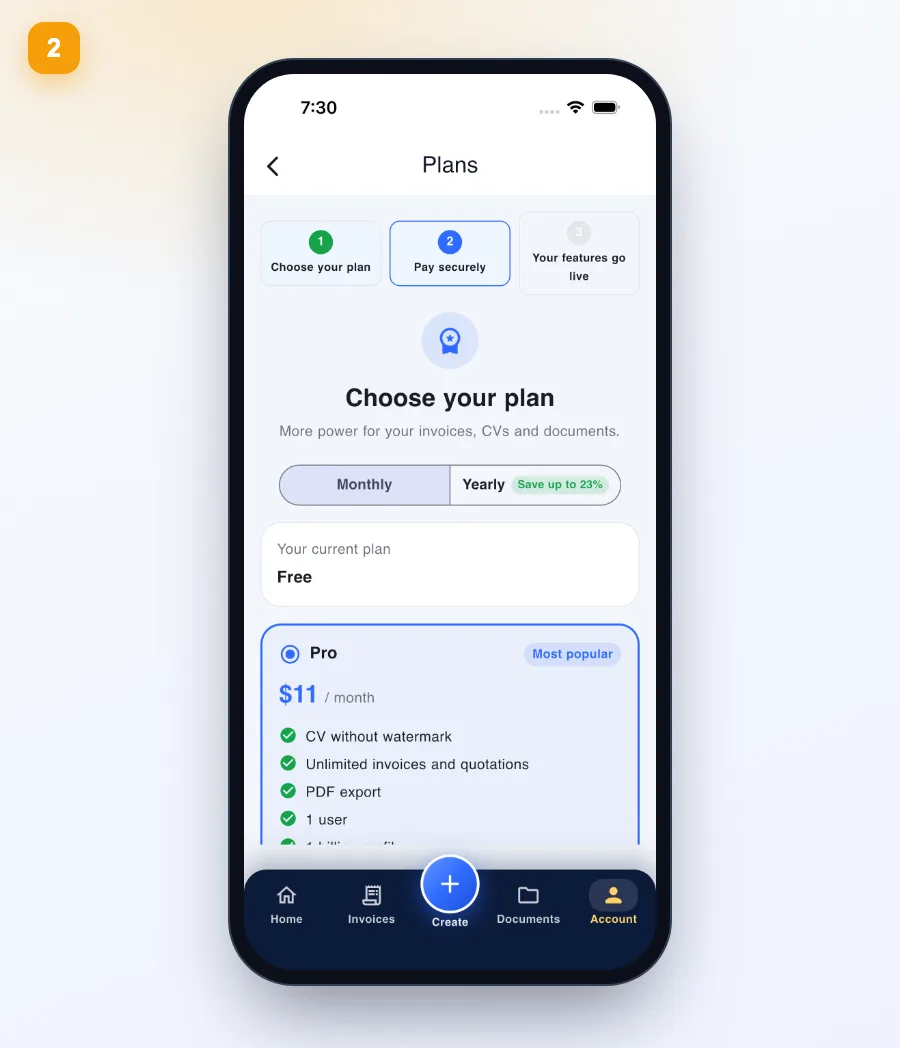
- 2
Choose your plan
Pick monthly or yearly, Pro or Business, and confirm in the store.
Renews automatically; cancel anytime in store settings.
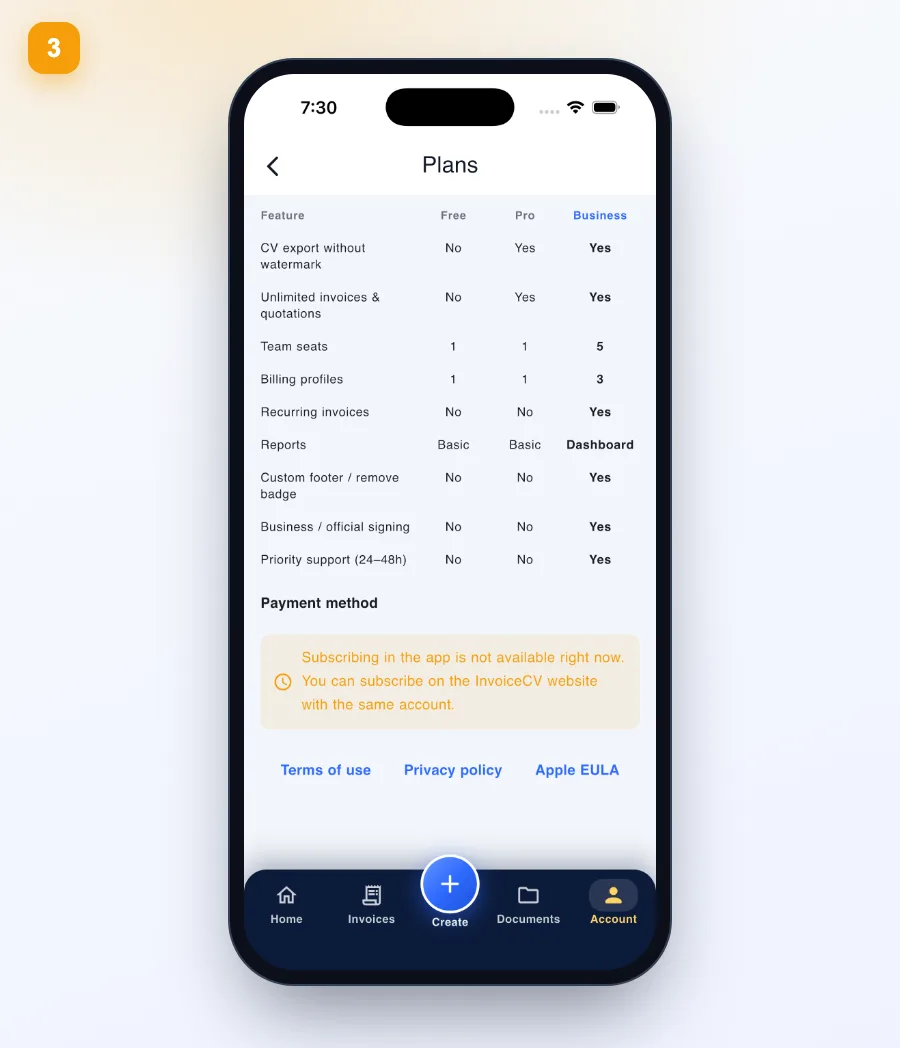
- 3
Payment and restore
At the bottom: payment method, Restore purchases and terms. If in-app payment is unavailable, subscribe on the website with the same account and pay via MyFatoorah (card, BenefitPay or Apple Pay).
Ready to start?
See plans