Subscribe on the web
Choose a plan, pay securely via MyFatoorah, features go live.
2 min · 5 steps
- 1
Open pricing
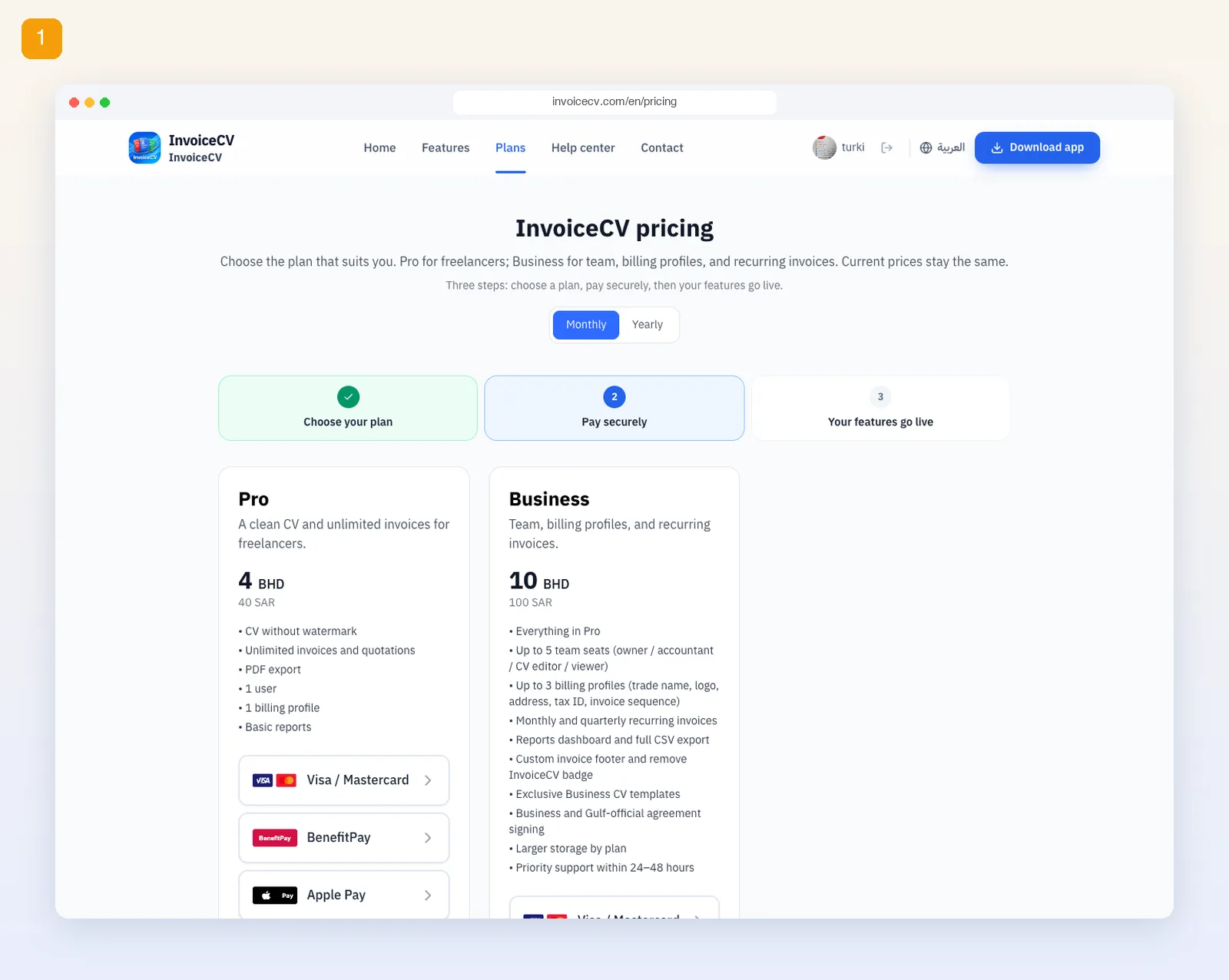
Choose “Plans” from the menu.
- 2
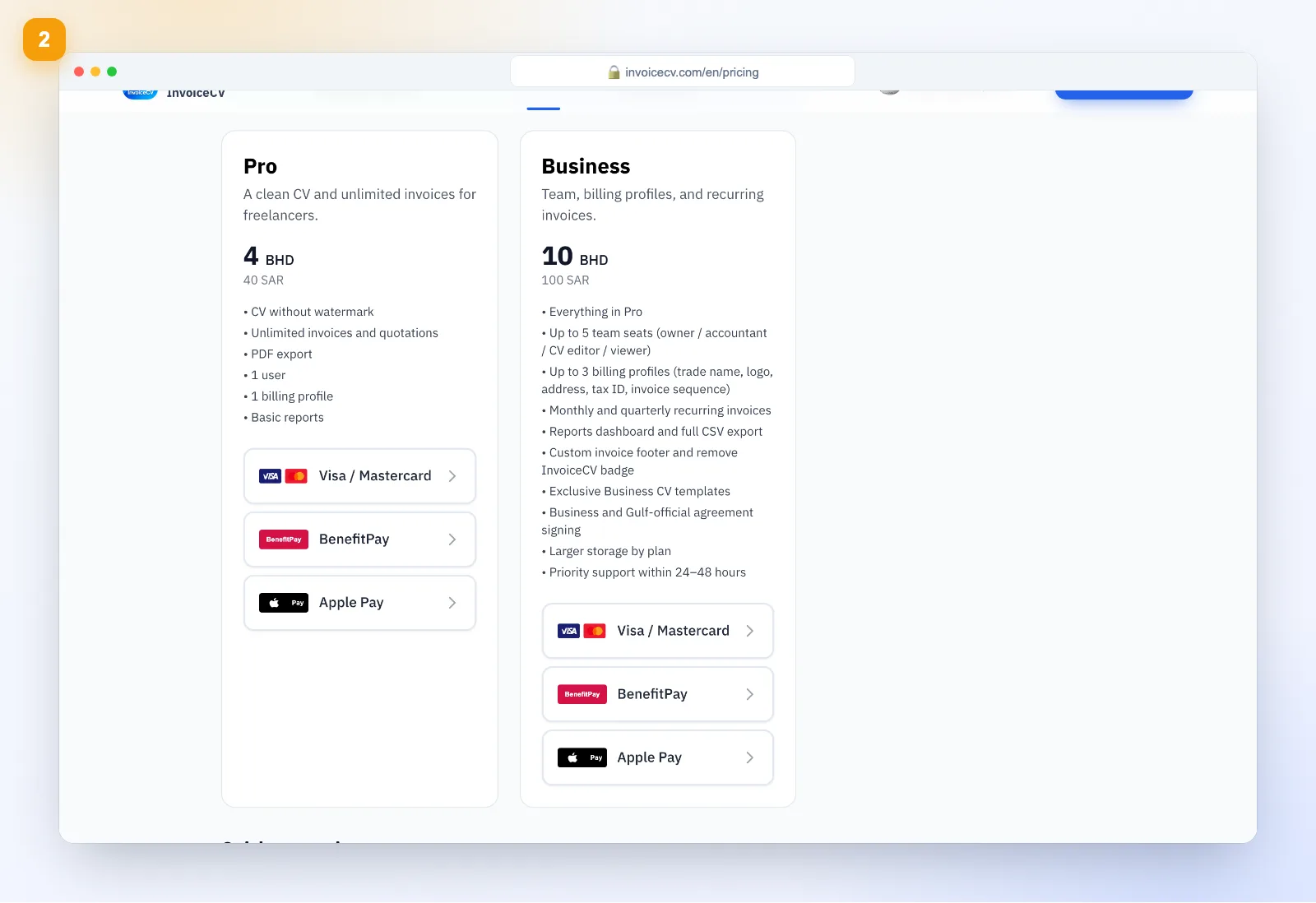
Pick a plan and payment method
Choose monthly or yearly, then tap a payment method under Pro or Business: Visa / Mastercard, BenefitPay or Apple Pay.
- 3
Pay with MyFatoorah
You are taken to MyFatoorah's secure payment page. Enter your card and press “Pay Now”, or use Apple Pay or Benefit. After paying you return to the site and your plan is activated.
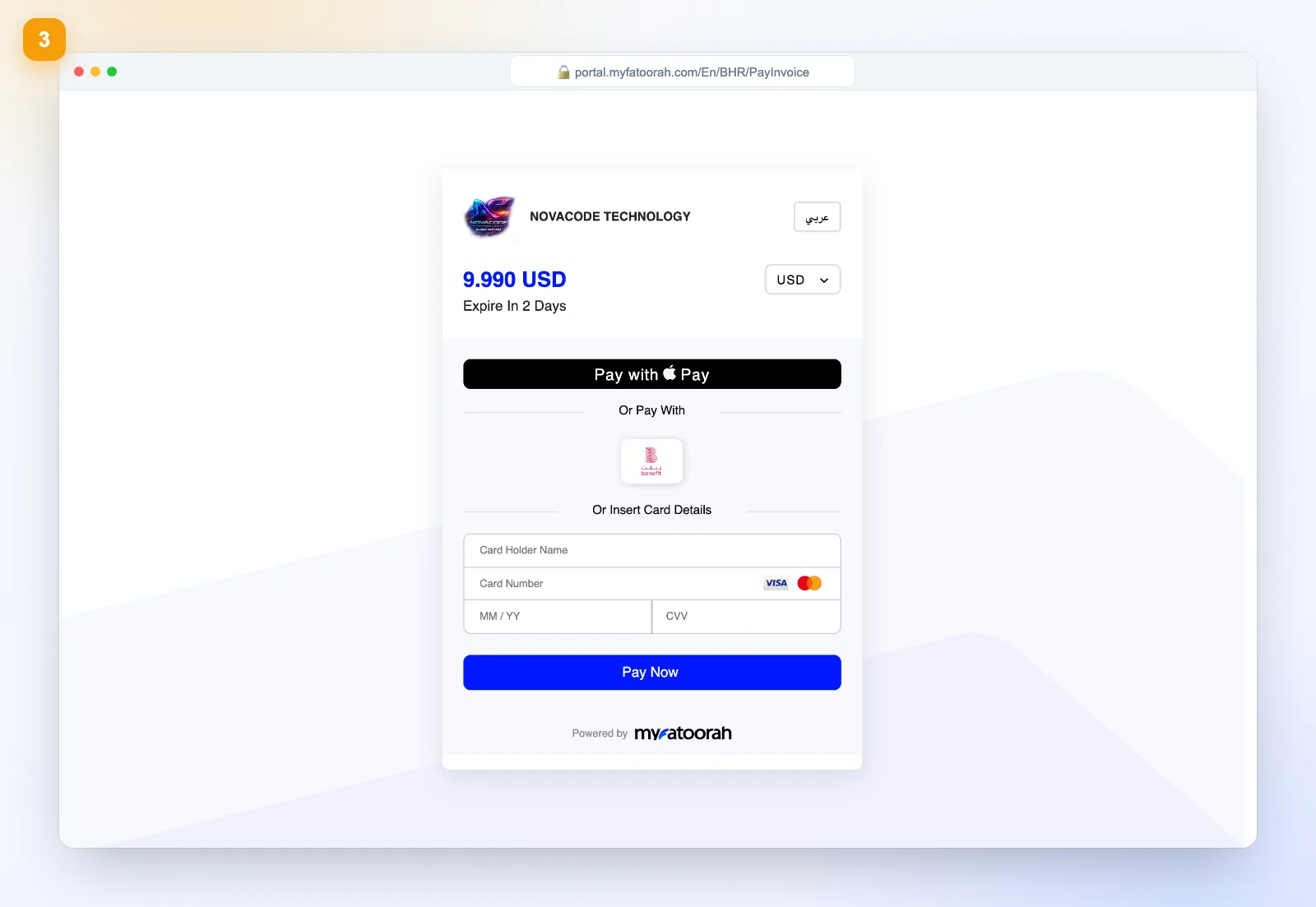
Payment runs through MyFatoorah's secure gateway; we never store your card.
- 4
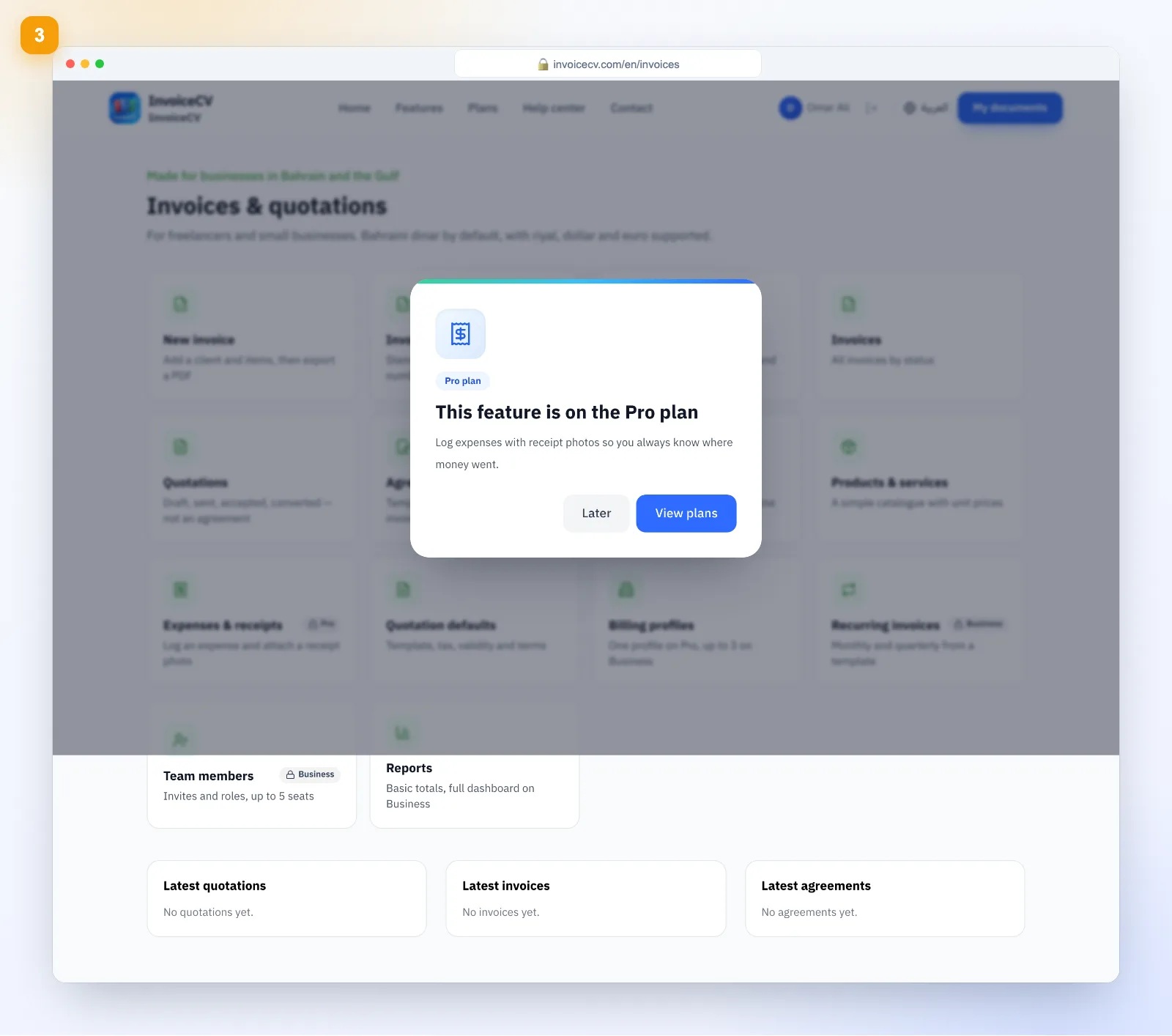
Locked features
Opening a paid feature shows the upgrade sheet.
- 5
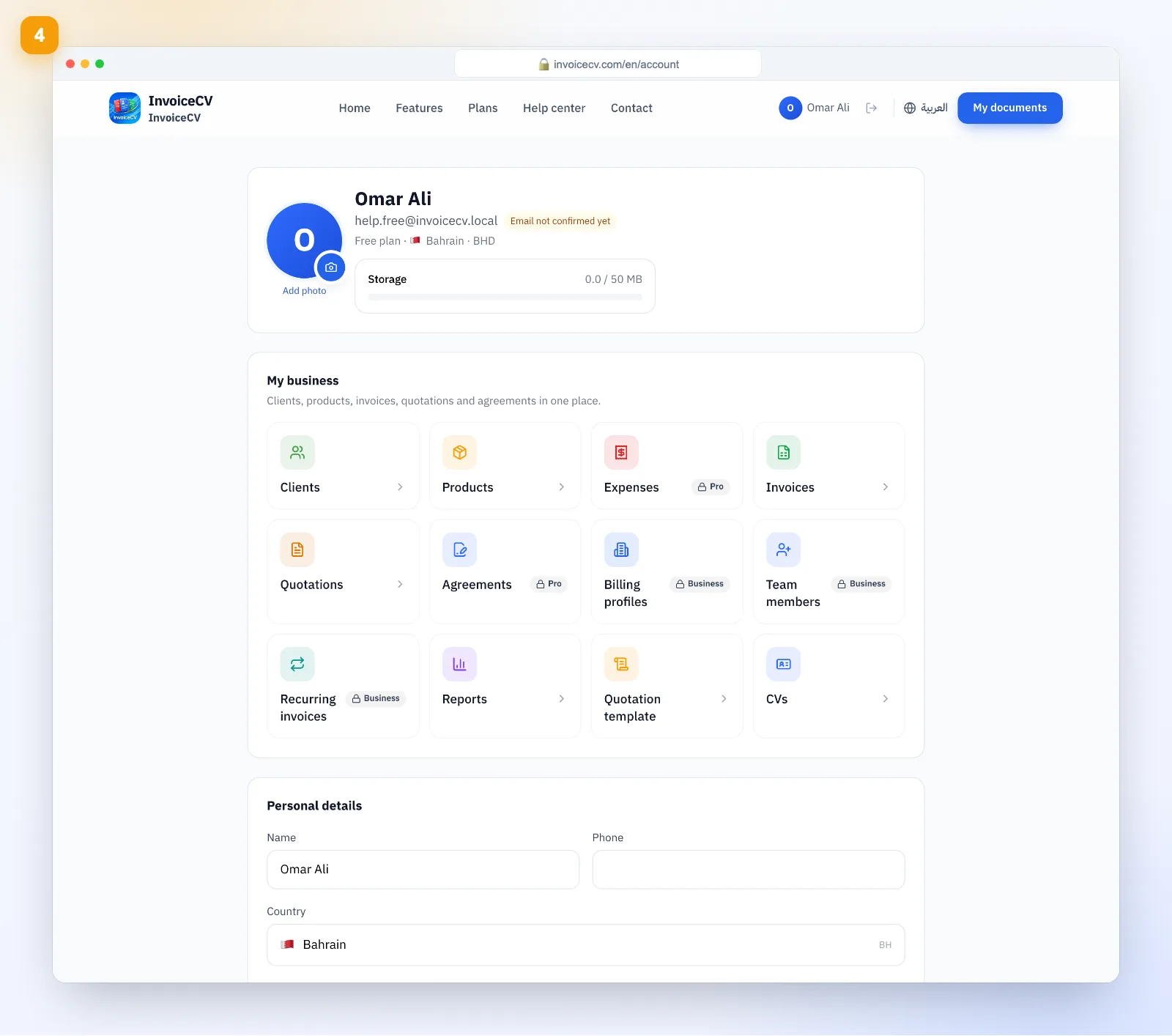
Check your account
Your current plan shows on the account page.
Ready to start?
See plans