Add an expense
Log expenses and attach the receipt photo.
2 min · 3 stepsAvailable on Pro and Business
- 1
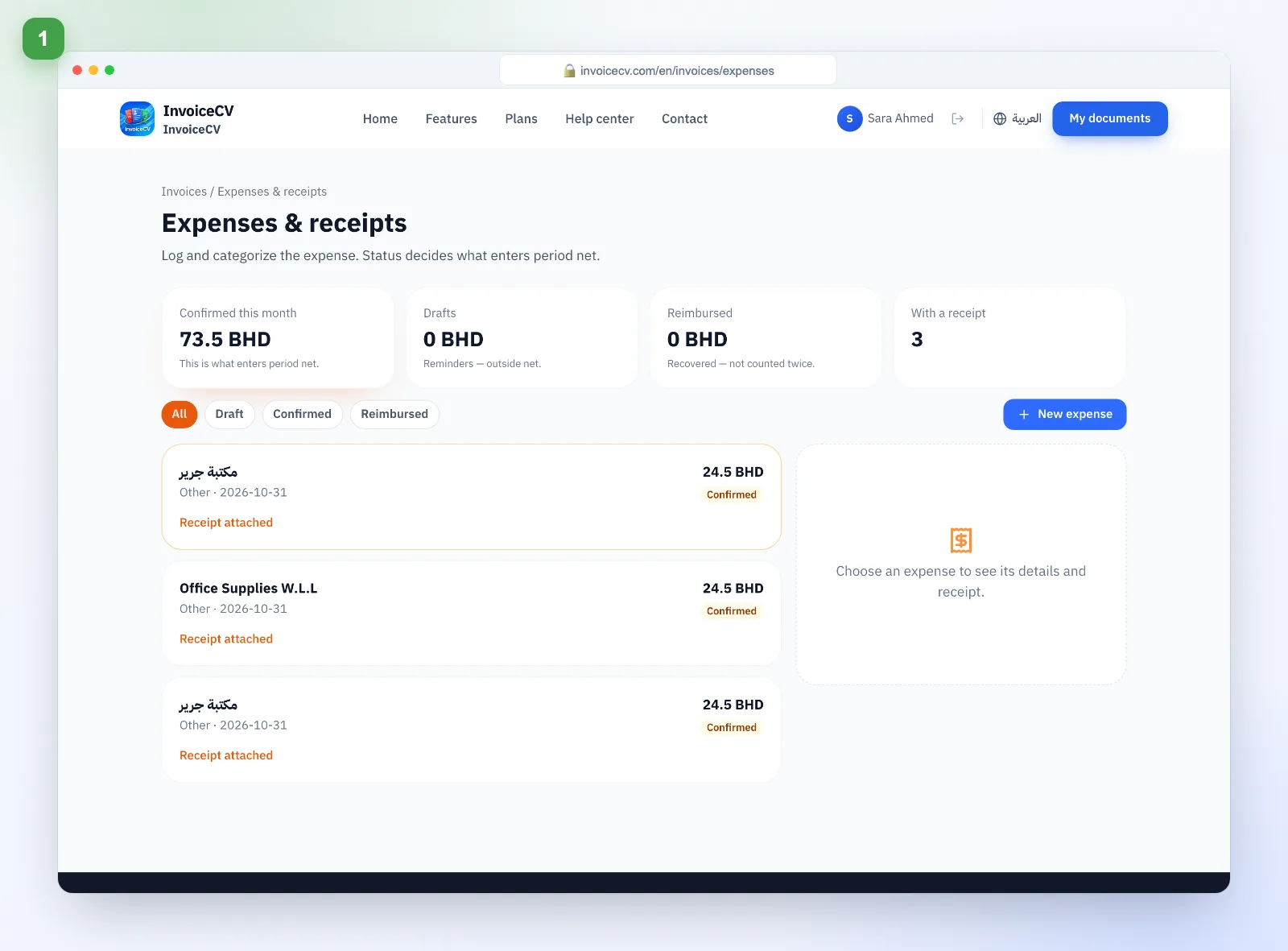
Open expenses
From the invoices hub choose “Expenses & receipts”.
- 2
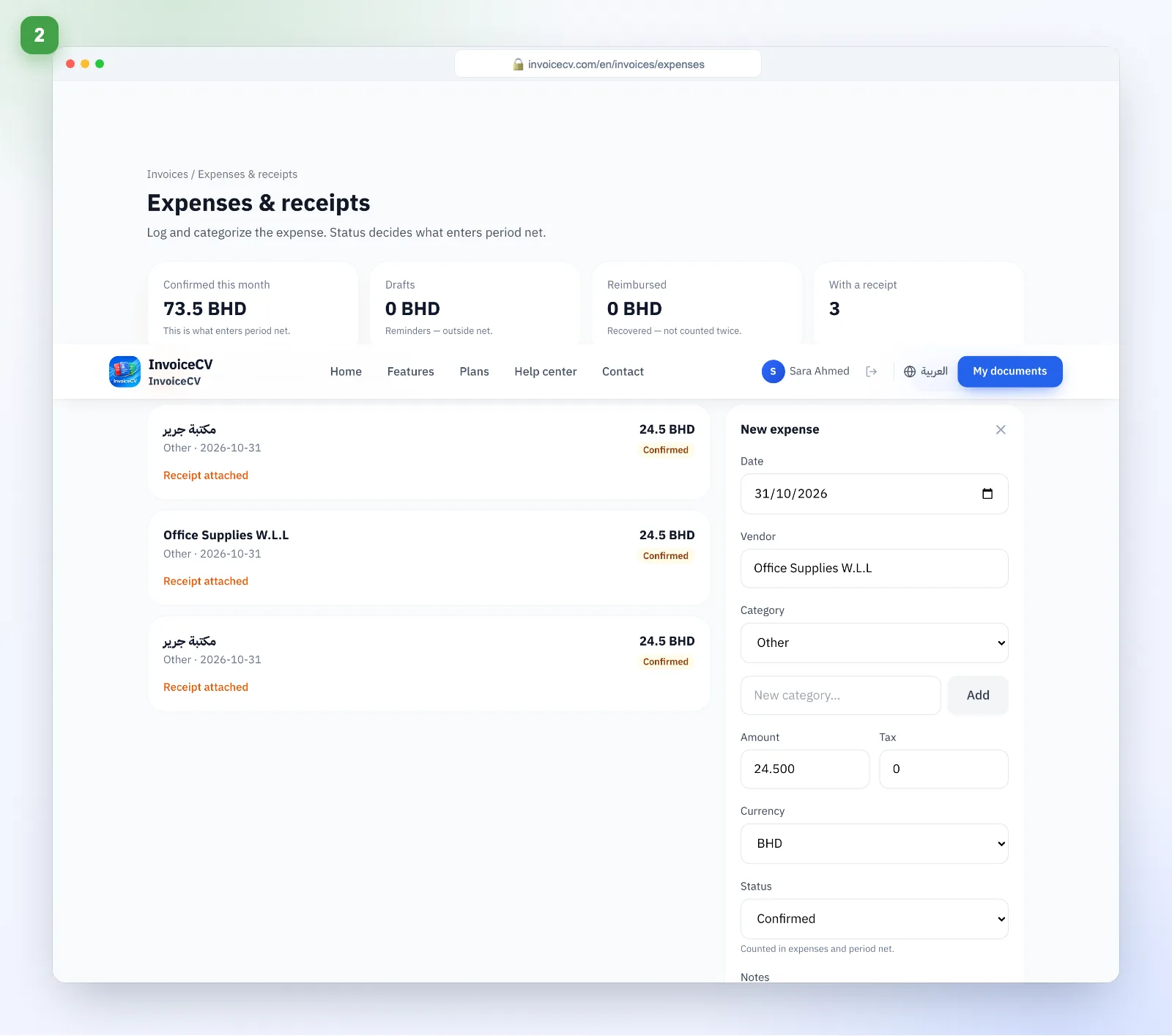
Add the expense
Vendor, amount, category, and attach the receipt.
- 3
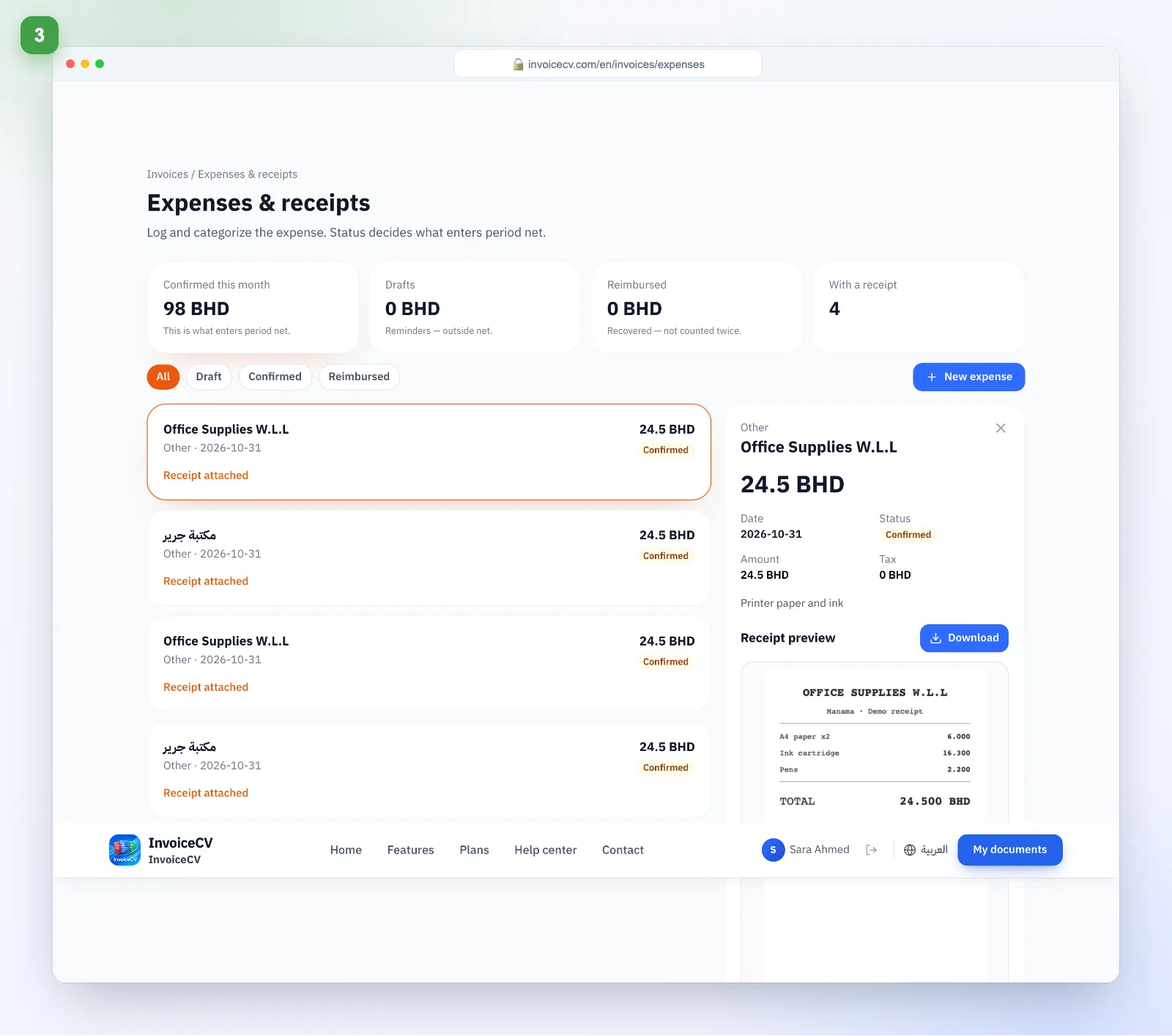
Review the details
Each expense keeps its receipt and shows up in reports.
Ready to start?
Open expenses