Use the PDF tools
Merge, split, rotate and compress — in your browser.
2 min · 3 steps
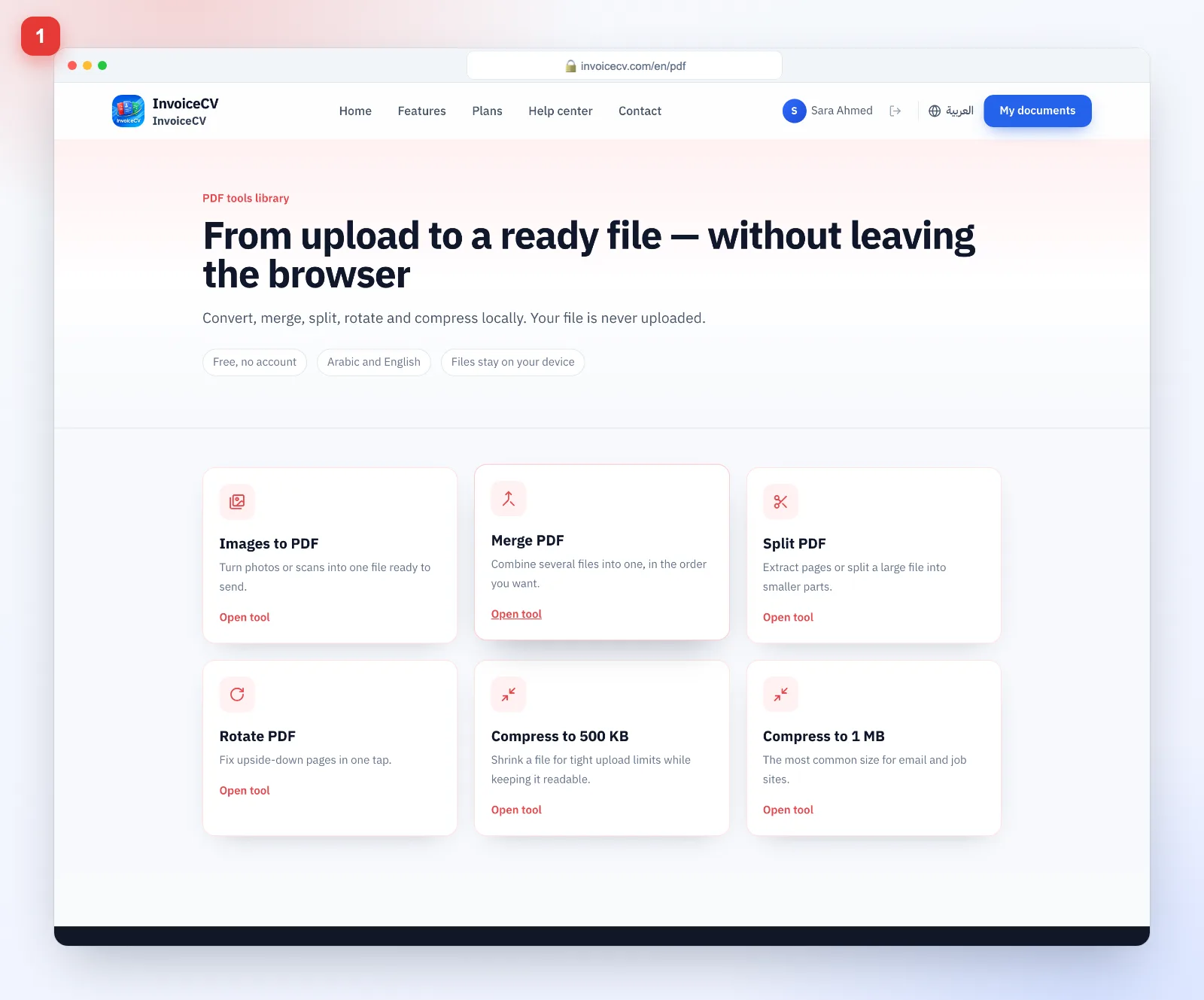
- 1
Pick a tool
From the PDF tools page choose what you need.
- 2
Upload your files
Drag files in, reorder them and press “Merge”.
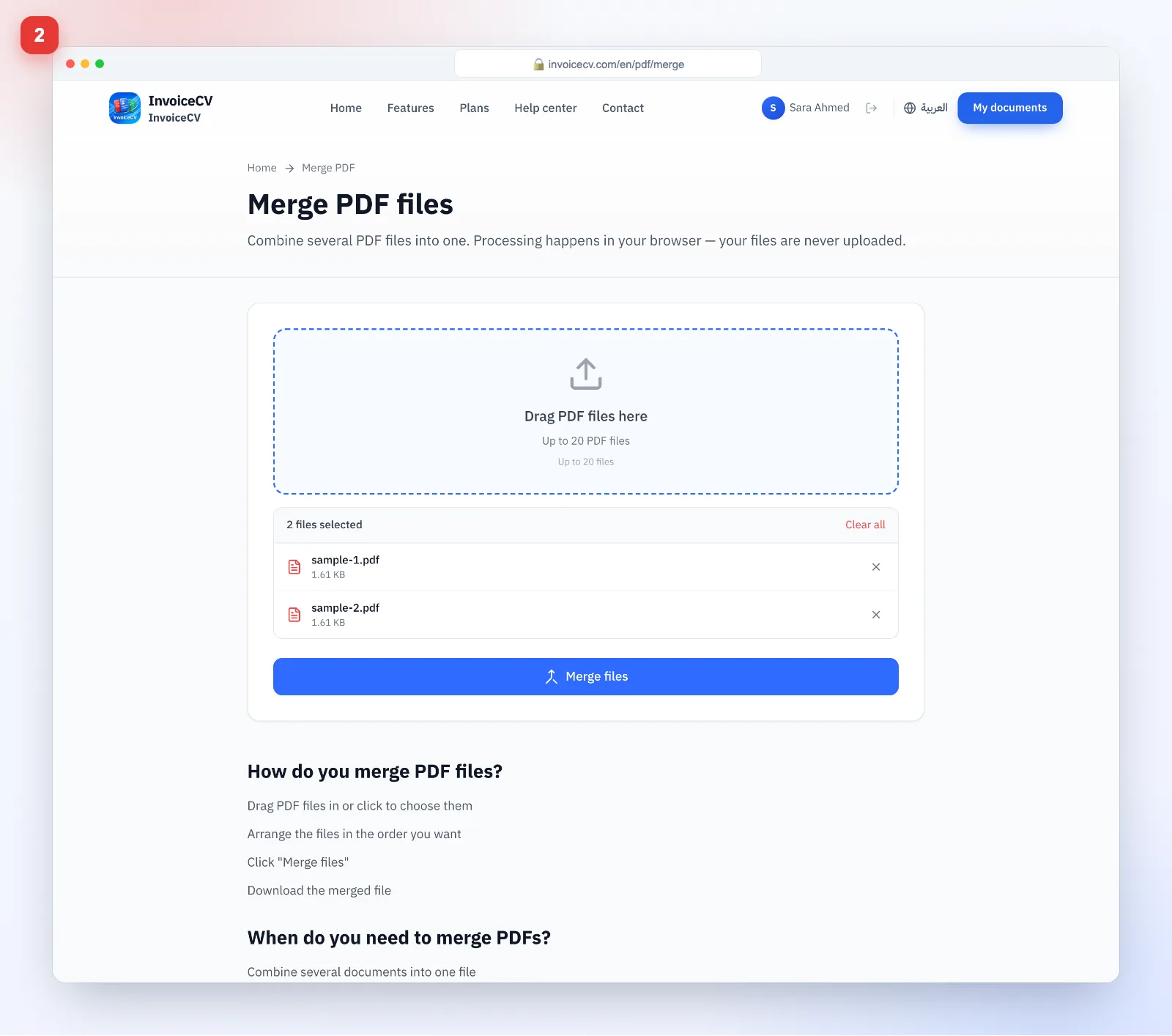
Files are processed on your device, never uploaded.
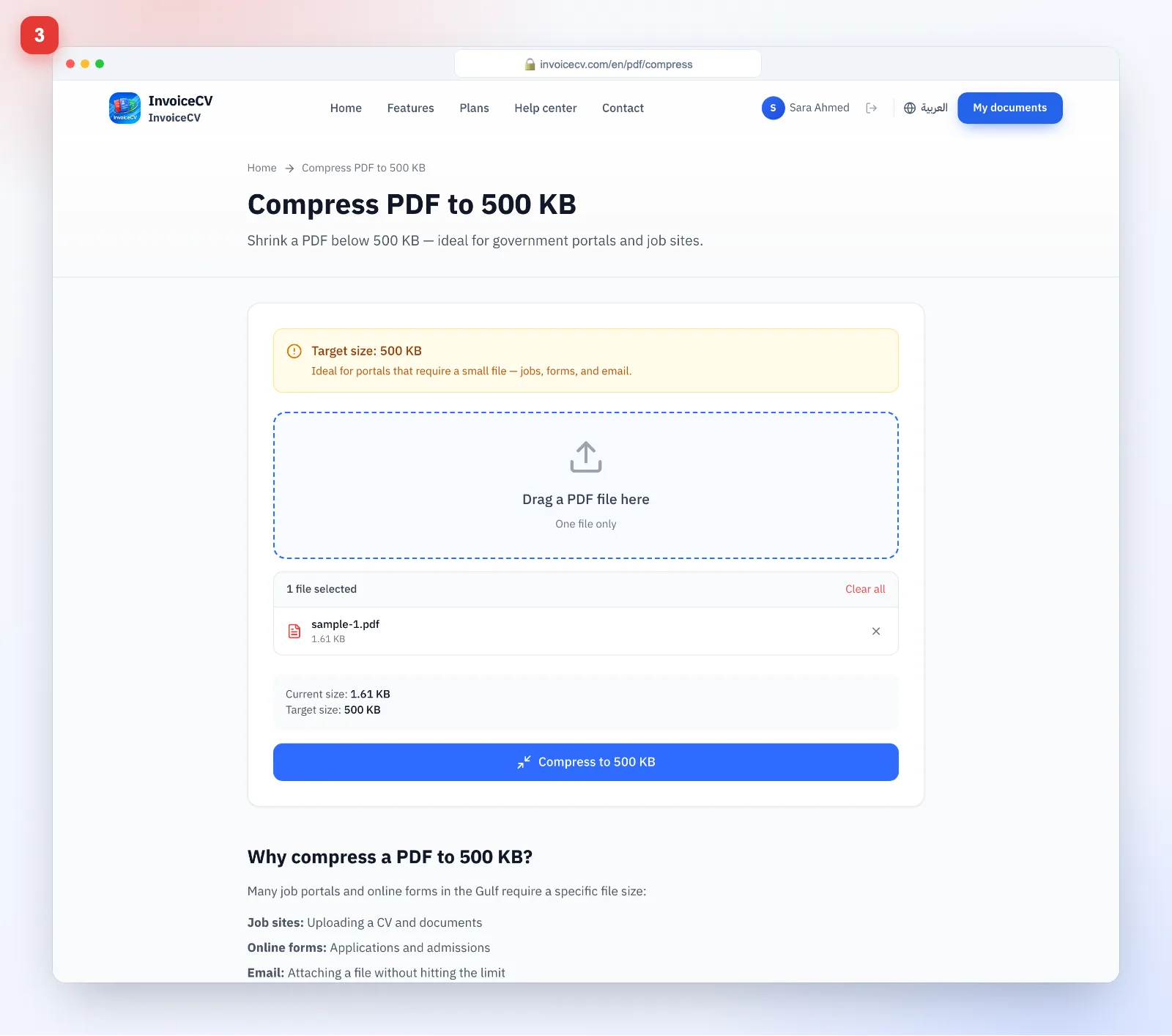
- 3
Compress to a target size
Pick 500 KB or 1 MB and download the result.
Ready to start?
Open PDF tools