Create a CV
Fill in your details, choose a design, export a PDF.
3 min · 3 steps
- 1
Fill in your details
Name, experience, education and skills — in Arabic or English.
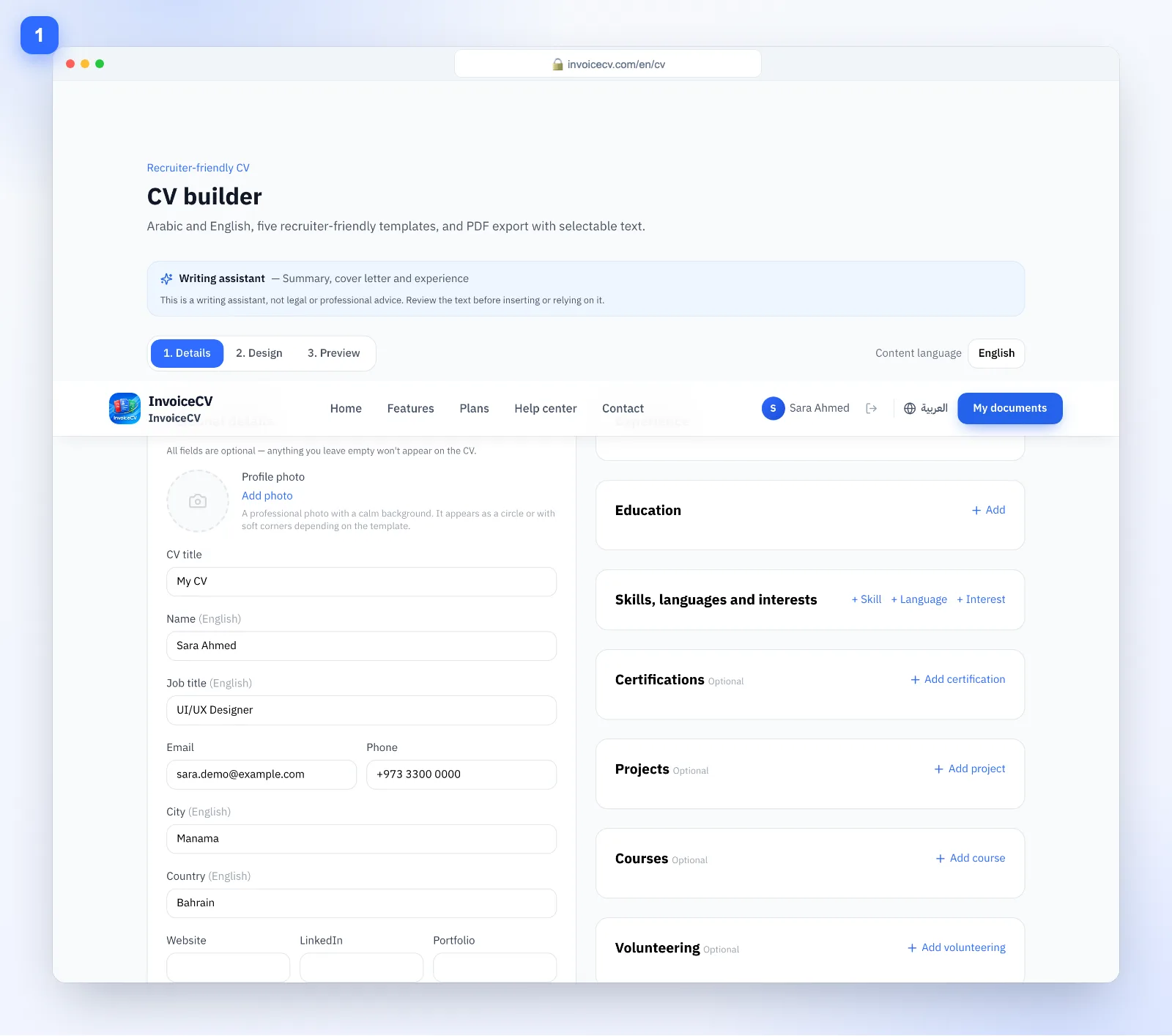
Use the AI helper to draft your summary.
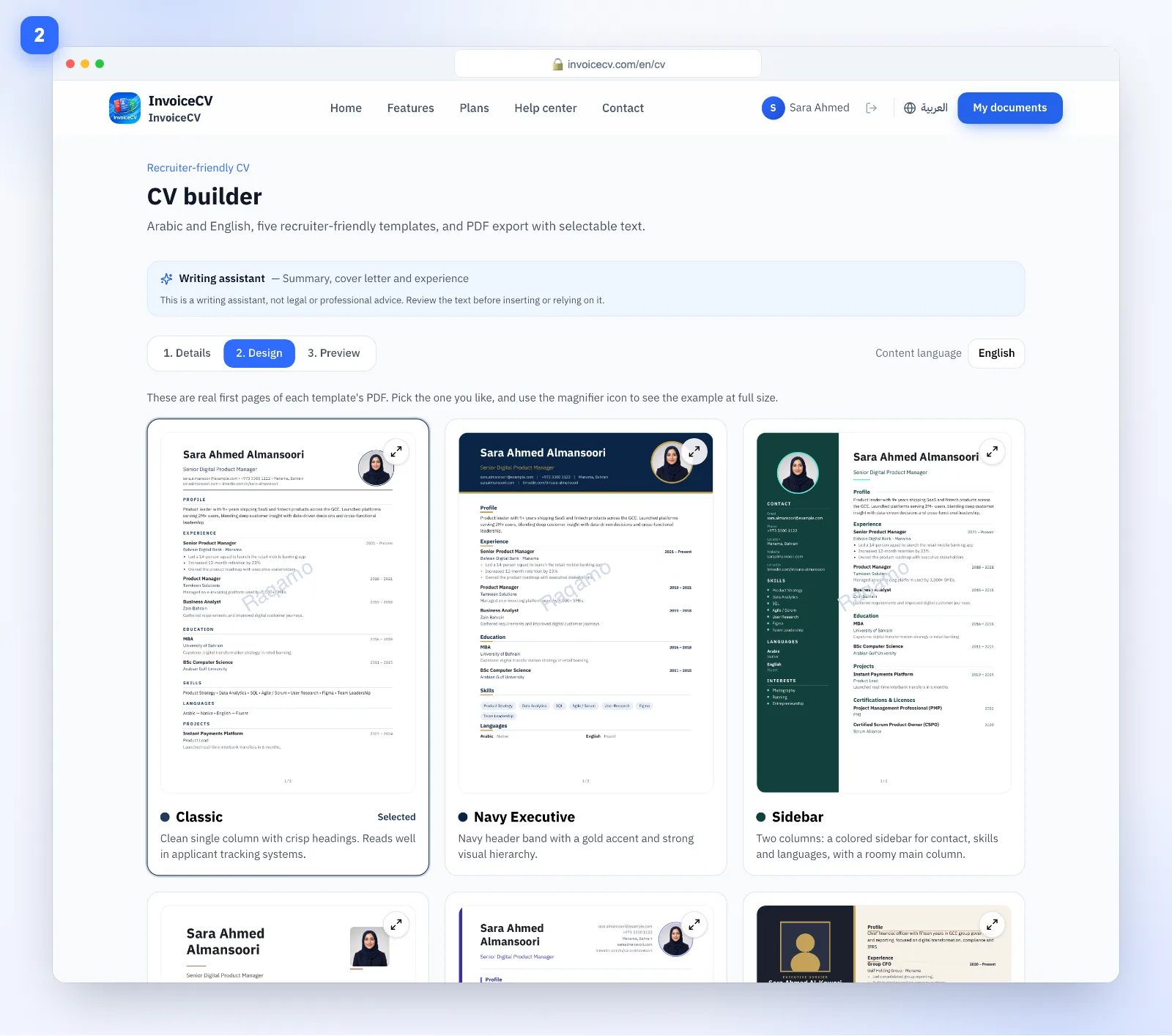
- 2
Choose a design
In the “Design” tab pick a template that fits your field.
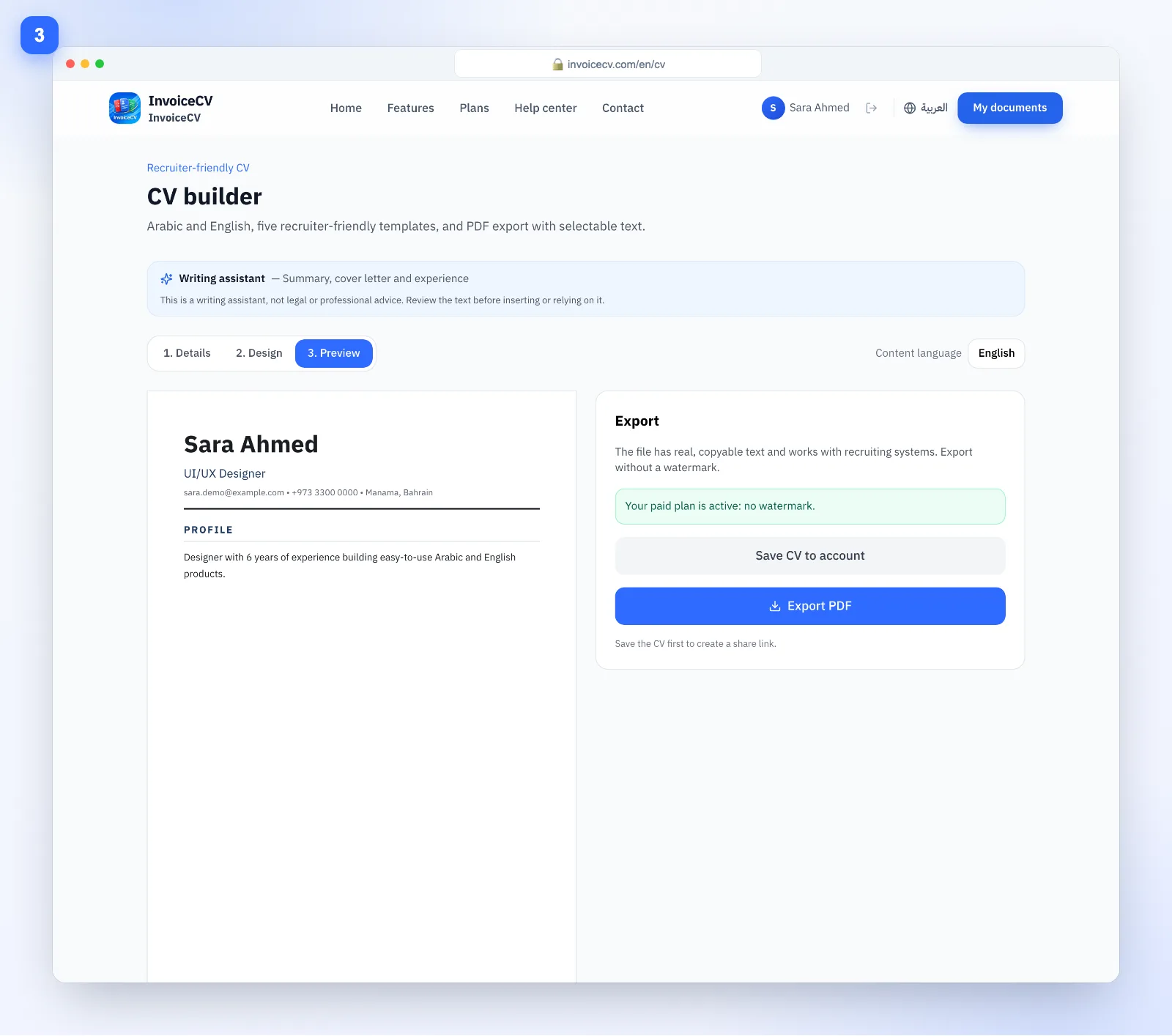
- 3
Preview and export
From “Preview”, export a PDF with selectable text.
Ready to start?
Open the CV builder